

How To Check Students Grades Online: A Teacher’s Guide to Navigating the Digital Landscape
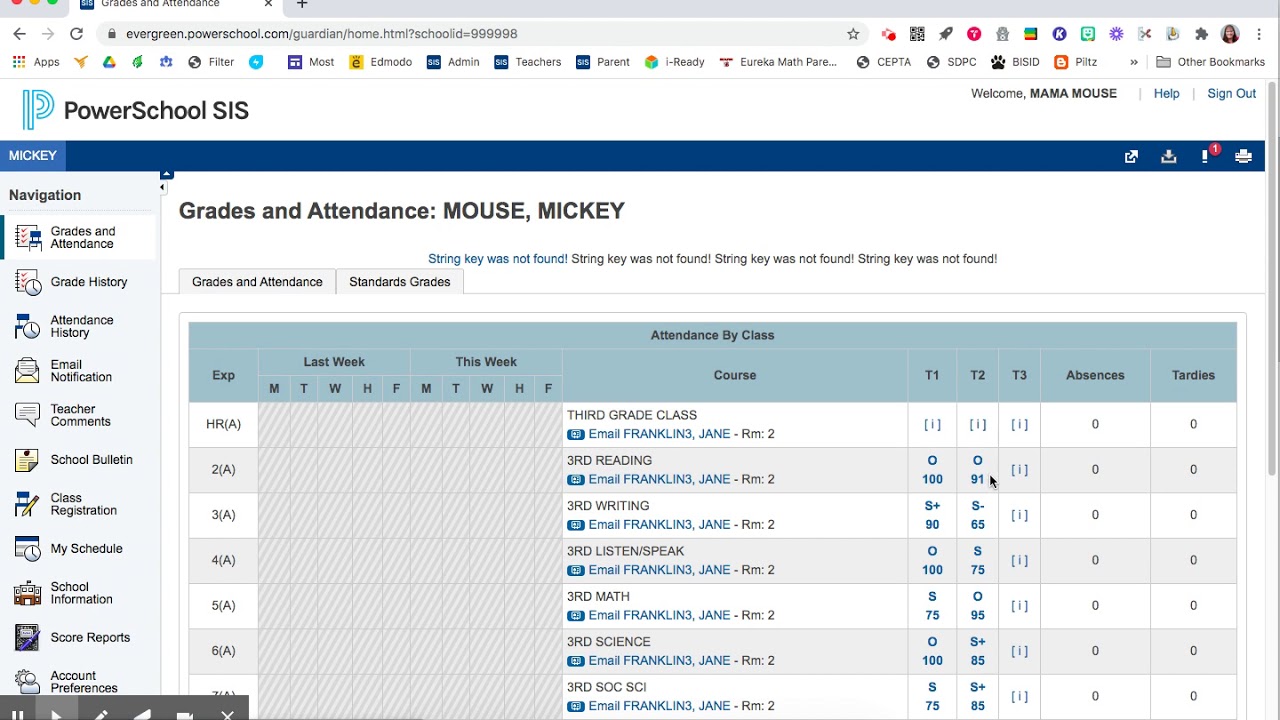
Ah, the digital age. It’s a wild ride, isn’t it? Remember the days when checking grades meant wading through mountains of paper, desperately searching for a tiny, handwritten score? Now, we’ve got these fancy online platforms, promising to make our lives easier. But let’s be real, sometimes they’re as confusing as a teenager’s text messages!

But fear not, my fellow teachers! This guide is your trusty compass in the digital wilderness. We’ll navigate the ins and outs of checking student grades online, from understanding the different platforms to mastering those essential tips and tricks.
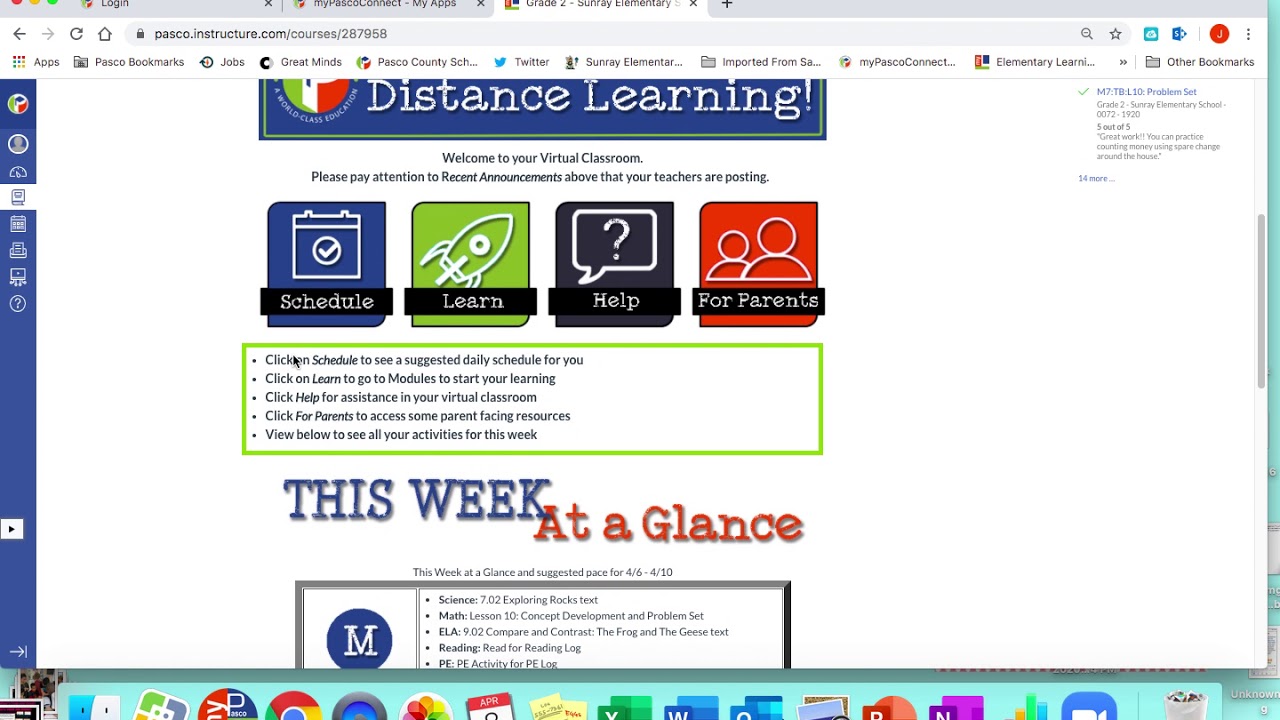
Understanding the Platforms: A Teacher’s Primer
First things first, we need to know the players in this digital gradebook game. Here’s a breakdown of some of the most popular platforms, giving you a heads-up on their features and functionalities:
1. Google Classroom: A Teacher’s All-in-One
Remember when Google Classroom first came out? It was like a beacon of hope in the sometimes-chaotic world of online learning. And while it’s evolved a bit since then, it’s still a solid choice for many teachers.
Think of it as your one-stop shop for all things classroom. You can assign work, track grades, provide feedback, and communicate with your students, all in one neat package. Plus, you can access everything from your trusty Google account, which is always a bonus.
Key features:
- Assignments: Create, assign, and grade assignments with ease, allowing students to submit their work directly through the platform.
- Gradebook: Keep track of all those precious grades, assigning weights and calculating overall scores. No more lost spreadsheets!
- Communication: Engage with your students through discussions, announcements, and private messaging.
- Integration with Google Suite: Seamlessly integrate with other Google apps like Docs, Sheets, and Slides.
2. Canvas: A Versatile Platform for Complex Needs
Canvas is a bit like the Swiss Army Knife of online learning platforms. It’s incredibly versatile, offering a whole buffet of features, making it ideal for larger schools and districts with a wide range of needs.
Key features:
- Customization: Canvas allows you to tailor the platform to fit your individual teaching style and preferences. You can create modules, set up your own gradebook, and customize the appearance.
- Advanced Tools: Features like rubrics, plagiarism detection, and speed grader streamline the assessment process.
- Course Design: Canvas supports a variety of teaching methodologies, with features for flipped classrooms, blended learning, and project-based learning.
3. Schoology: A Collaborative Environment for Student Success
Schoology is all about collaboration. It’s designed to create a dynamic learning environment where students, teachers, and parents can connect and work together. Think of it as a digital community for your classroom.
Key features:
- Community-Focused: Students, teachers, and parents can all interact through discussions, groups, and forums.
- Communication: Keep everyone in the loop with announcements, messages, and calendar events.
- Assessment: Create quizzes, assign grades, and track student progress with built-in assessment tools.
4. Moodle: A Powerful and Open-Source Option
Moodle is a powerful, open-source platform that gives you a lot of control. It’s a bit more technical than the other platforms, so it’s best suited for teachers who are comfortable working with code and customizing their learning environments.
Key features:
- Flexibility: Moodle is highly customizable, allowing you to create a unique learning experience for your students.
- Open-Source: Moodle is free to use, and its open-source nature means you can modify the platform to fit your specific needs.
- Variety of Modules: A wide range of modules allows you to incorporate a variety of teaching and learning activities.
5. Edmodo: A Simple, User-Friendly Choice
Edmodo is a great option for teachers who want a simple, user-friendly platform. It’s designed to be easy to navigate and use, making it a great choice for both teachers and students who are new to online learning.
Key features:
- Ease of Use: Edmodo is known for its intuitive interface, making it easy for both teachers and students to learn.
- Communication: Stay connected with your students through posts, messages, and group discussions.
- Assignments: Assign and grade assignments easily, with features for feedback and collaboration.
Navigating the Labyrinth: Tips and Tricks for a Smooth Journey
Okay, so you’ve chosen your online gradebook platform. Now what? It’s time to navigate the digital labyrinth and become a master of checking student grades online. Here are some tips and tricks to help you along the way:
1. Familiarize Yourself with the Interface:
It might seem obvious, but before you jump in, take some time to explore the platform’s interface. Learn where everything is, from the gradebook to the assignments section to the communication tools. Think of it as a digital scavenger hunt – it’s more fun when you know what you’re looking for!
2. Set Up Your Gradebook: A Foundation for Success
Your gradebook is the foundation of your online grading system, so take some time to set it up properly. Here are some key things to keep in mind:
- Categories: Organize your assessments into categories, such as homework, quizzes, tests, and projects. This makes it easier to track student progress and assign appropriate weights.
- Weights: Assign weights to each category, reflecting the relative importance of each type of assessment.
- Grading Scale: Make sure you’ve got your grading scale set up correctly, and communicate it clearly to your students. You don’t want any confusion about what constitutes an A, B, or C!
3. Master the Art of Assigning Grades:
Grading online can feel a bit different than the good old days of paper-based assessments. Here are some tips to make the process smooth and efficient:
- Speed Grader: Use speed grader features if your platform offers them. It can help you quickly review student work and assign grades. No more scrolling through endless pages of submissions!
- Rubrics: Create clear and concise rubrics for each assignment. Rubrics help you provide consistent and objective feedback, and they also give students a clear understanding of expectations.
- Feedback: Make the time to provide meaningful feedback. Even if it’s just a quick comment, feedback helps students understand their strengths and areas for improvement.
- Communicate Clearly: Communicate with your students about deadlines, grading policies, and any other relevant information. Nothing is more frustrating than confusion about grades!
4. Leverage the Power of Technology:
We’re living in the digital age, so why not leverage the power of technology to make our lives easier? Here are some tools that can help streamline the process of checking student grades online:
- Google Sheets: If your platform doesn’t offer advanced gradebook features, consider using Google Sheets to track grades. You can create a spreadsheet to track grades by category and calculate overall scores.
- Evernote: Use Evernote to keep track of grading notes and feedback for each student. This is especially helpful when grading a large number of assignments.
- Grammarly: Grammarly is a fantastic tool for catching typos and grammatical errors in your feedback. Nobody wants to send a message riddled with mistakes, right?
5. Keep It Organized: A Well-Ordered World of Grades
Let’s be honest, we’ve all been there. That moment when your digital gradebook looks like a tornado went through it. Here are some tips for keeping your digital world of grades organized:
- Folders: Create folders in your platform or file system to organize student work. For example, you could create a folder for each unit or subject.
- Tags: Use tags to categorize and quickly find specific assignments or student work.
- Regularly Review: Make a habit of reviewing your gradebook regularly. This helps you catch any errors or inconsistencies early on and prevent any gradebook disasters!
6. Embrace the Power of Communication:
Communication is key in any classroom, especially in the digital age. Here are some tips for using online tools to keep your students informed:
- Announcements: Use announcements to share important information with your students. Make sure to keep them updated about deadlines, assignments, and any changes to the class schedule.
- Discussions: Use discussions to foster meaningful conversations and encourage student participation. This is a great way to get to know your students better and create a sense of community in your online classroom.
- Private Messages: Use private messages to send individual feedback or address specific concerns. This can be a more personal way to communicate with your students, especially when it comes to sensitive topics.
7. Don’t Forget the Human Element:
Technology is great, but it shouldn’t replace the human connection. Here are some ways to keep that human element alive in your online classroom:
- Video Calls: Use video calls to have face-to-face interactions with your students. This helps you connect with them on a personal level and build a rapport.
- Virtual Office Hours: Hold virtual office hours for students to come to you with questions or concerns.
- Personalized Feedback: Take the time to provide personalized feedback. Students appreciate knowing that you’re taking the time to read their work and understand their progress.
8. Be Patient and Persistent:
Learning to navigate online gradebook platforms takes time and practice. Don’t get discouraged if you hit a few bumps in the road. Just be patient, persistent, and willing to learn. Remember, we’re all in this together!
Beyond the Gradebook: Using Technology for a More Engaging Classroom
But wait, there’s more! We’ve covered the basics of checking grades online, but let’s not stop there. Technology offers a whole world of possibilities for creating a more engaging and effective classroom.
1. Interactive Learning Tools: Bringing Learning to Life
We’ve all been there, watching students glaze over during a lecture. Interactive learning tools can help break the monotony and bring learning to life. Here are a few examples:
- Quizizz: Interactive Quizzing Made Easy: Quizizz is a great tool for creating interactive quizzes that students can take individually or in groups. It offers a variety of question formats, gamified elements, and real-time feedback. https://quizizz.com/
- Kahoot!: A Fun and Engaging Way to Review: Kahoot! is a popular platform for creating interactive quizzes that students can play as a group. It’s a fun and engaging way to review concepts and get students actively involved in the learning process. https://kahoot.com/
- Blooket: A Gamified Approach to Learning: Blooket is another popular gamified learning platform. It offers a variety of game modes that make learning fun and engaging. https://www.blooket.com/
- Nearpod: Engaging Lessons for All Learning Styles: Nearpod is a platform that allows you to create interactive lessons that incorporate videos, quizzes, polls, and other engaging activities. It’s a great way to reach students with different learning styles and keep them engaged. https://nearpod.com/
2. Student Collaboration Tools: Working Together for Success
Collaboration is an essential skill in today’s world, and technology can help students develop these skills. Here are some tools that can foster collaboration in your online classroom:
- Google Docs: Google Docs is a great way for students to collaborate on projects and documents. It allows multiple students to work on a document simultaneously, making it easy to share ideas and revise work.
- Padlet: Padlet is a versatile tool that can be used for a variety of collaborative activities. Students can share their ideas, thoughts, and reflections on a digital wall. It’s a great way to gather feedback, brainstorm, and create a visual representation of student learning. https://padlet.com/
- Canva: Canva is a design platform that allows students to create visual presentations, infographics, and other creative projects. It’s a great way for students to collaborate on projects and showcase their learning in a visually appealing way. https://www.canva.com/
3. Video Conferencing Platforms: Connecting with Your Students Face-to-Face
Video conferencing platforms can help you create a more personal connection with your students, even if you’re teaching remotely. Here are some popular options:
- Zoom: Zoom is a popular video conferencing platform that allows you to host virtual meetings, webinars, and online classes. It offers a variety of features, such as screen sharing, breakout rooms, and recording capabilities. https://zoom.us/
- Google Meet: Google Meet is another great option for video conferencing. It’s integrated with Google Workspace, making it easy to use for teachers and students. https://meet.google.com/
- Microsoft Teams: Microsoft Teams is a collaboration platform that includes video conferencing capabilities. It’s a popular choice for schools and organizations that use Microsoft products. https://www.microsoft.com/en-us/microsoft-365/microsoft-teams/group-chat-software
4. Educational Games and Simulations: Making Learning Fun and Engaging
Educational games and simulations can help students learn by doing, making learning more fun and engaging. Here are a few examples:
- Minecraft: A Sandbox World for Learning: Minecraft is a popular game that allows students to build and create in a virtual world. It’s a great tool for STEM learning, problem-solving, and creative thinking. https://www.minecraft.net/
- SimCity: Building a Virtual City: SimCity is a city-building simulation game that allows students to learn about urban planning, economics, and resource management. https://www.ea.com/games/simcity
- Kerbal Space Program: Exploring the Final Frontier: Kerbal Space Program is a rocket and spacecraft simulation game that allows students to learn about physics, engineering, and space exploration. https://www.kerbalspaceprogram.com/
5. Digital Portfolios: Showcasing Student Growth
Digital portfolios are a great way for students to showcase their work and demonstrate their learning journey. They allow students to collect their best work, reflect on their progress, and share their accomplishments with others. Here are a few tools that can be used to create digital portfolios:
- Google Sites: Google Sites is a free tool that allows students to create simple websites. They can use Google Sites to create digital portfolios that showcase their best work, reflections, and goals. https://sites.google.com/
- WordPress: WordPress is a powerful platform for creating websites and blogs. Students can use WordPress to create more sophisticated digital portfolios that showcase their work in a professional format. https://wordpress.org/
- Canva: Canva is a design platform that offers templates for creating digital portfolios. Students can use Canva to create visually appealing portfolios that showcase their work and achievements. https://www.canva.com/
The Changing Landscape of Education: Embracing the Digital Revolution
The world of education is constantly evolving, and technology is playing a central role in this transformation. As teachers, it’s essential to embrace the digital revolution and use technology to enhance our teaching and learning experiences.
But it’s not just about adopting the latest gadgets and platforms. It’s about finding the right tools to support our teaching goals and help our students thrive in an increasingly digital world. It’s about striking that delicate balance between the traditional and the technological, creating learning environments that are both engaging and effective.
The Power of Technology: A Tool for Transformation
Technology can be a powerful tool for transformation in the classroom. It can help us:
- Reach a wider audience: Online platforms and digital tools allow us to connect with students beyond the walls of our physical classrooms.
- Personalize learning: Technology can help us create individualized learning experiences that cater to the unique needs and interests of our students.
- Enhance communication: Digital tools provide new ways to communicate with our students, parents, and colleagues, fostering a more collaborative learning environment.
- Develop essential skills: Technology can help students develop essential skills for the 21st century, such as critical thinking, problem-solving, and digital literacy.
The Future of Learning: A Blended Approach
The future of learning is likely to be a blended one, combining the best of both traditional and digital approaches. We’ll continue to use technology to enhance our classrooms, but we’ll also recognize the importance of human interaction and face-to-face connection.
Embrace the Change: A Journey of Continuous Learning
The digital landscape is constantly evolving, and it’s important to stay up-to-date with the latest trends and technologies. This is a journey of continuous learning, and it’s essential to embrace the change and adapt to the new realities of the digital age.
The Teacher’s Role: Navigating the Digital Landscape with Confidence
As teachers, we have a crucial role to play in navigating this digital landscape. We need to be comfortable using technology, but we also need to be thoughtful and strategic in our approach. We need to use technology to enhance our teaching and learning experiences, but we also need to ensure that it doesn’t become a distraction or replace the human connection that is so essential in education.
Final Thoughts: A Vision for the Future of Learning
The digital revolution is here to stay, and it’s reshaping the world of education. As teachers, we have the power to embrace this change and use technology to create engaging, effective, and transformative learning experiences for our students.
Let’s continue to explore the possibilities of technology and find ways to use it to empower our students and prepare them for the future. The journey is just beginning, and we’re in for a wild ride!
References
- Google Classroom
- Canvas
- Schoology
- Moodle
- Edmodo
- Quizizz
- Kahoot!
- Blooket
- Nearpod
- Google Docs
- Padlet
- Canva
- Zoom
- Google Meet
- Microsoft Teams
- Minecraft
- SimCity
- Kerbal Space Program
- Google Sites
- WordPress

